本日の内容のサイトはこちらです。(QRコード)

はじめに(自己紹介)

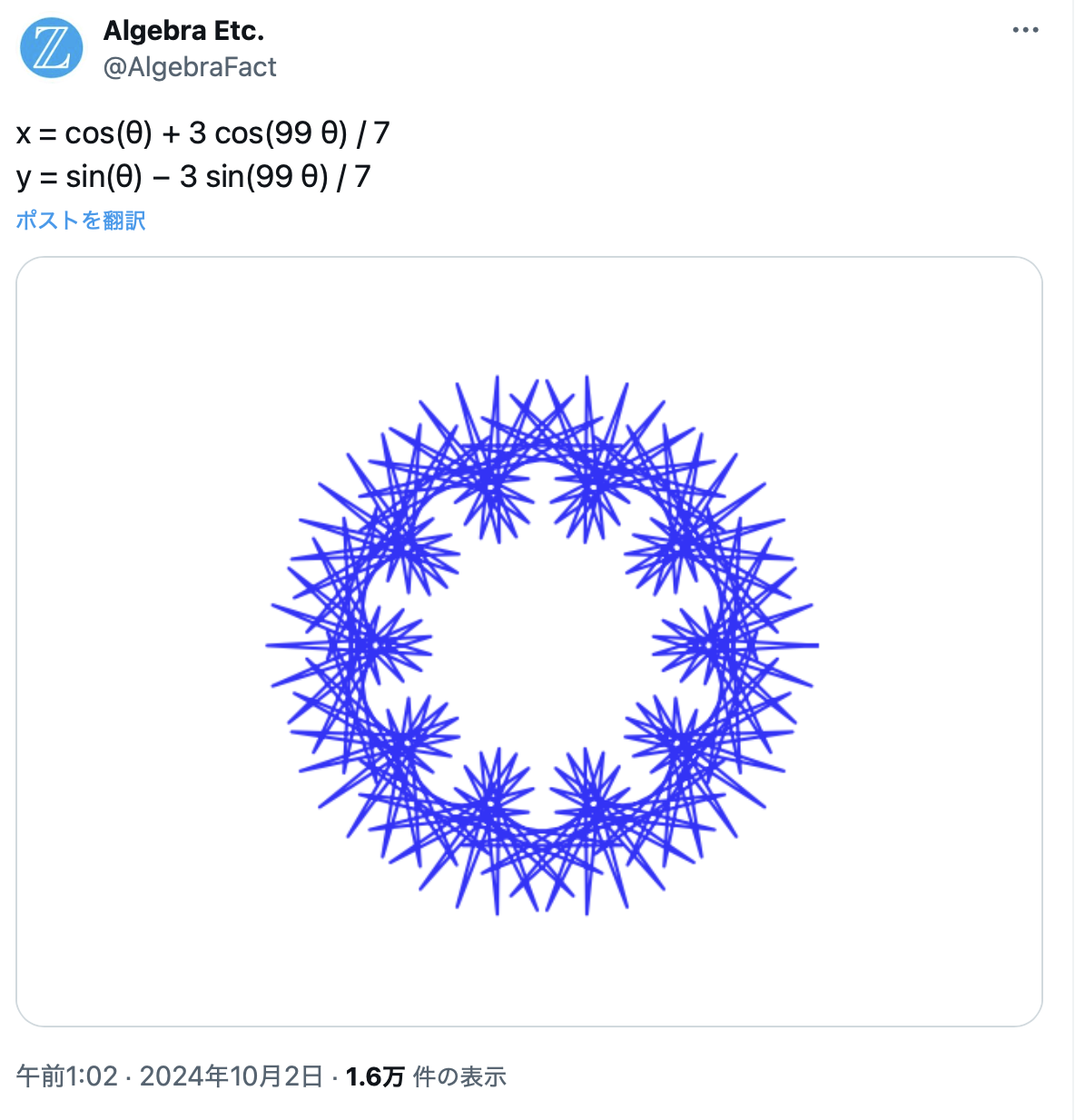
@algebraFact さんのXのポスト
- 綺麗だな。作ってみたいな。Julia言語で作ってみよう!
Julia言語の紹介
https://julialang.org

Juliaは統計処理や科学技術計算、機械学習に強いプログラミング言語といわれています。 例えばStatsBase.jlやDistributions.jlなどのパッケージを使用すると、統計モデリングや仮説検定、回帰分析、時系列分析などの統計処理を行えます。
また,quartoというパブリッシング・システムを用いてWebページを作成しました。基本Markdownで,コードの読み込みも容易です。今回は利用していませんが,新たな数式処理のtypstも実装可能です。
Julia言語で作ってみたが...
Show the code
using Plots

# θの範囲を設定
θ = LinRange(0, 2π, 1000)

# xとyの定義
x = cos.(θ) .+ (3 * cos.(99 .* θ)) ./ 7
y = sin.(θ) .- (3 * sin.(99 .* θ)) ./ 7

# プロット
plot(x, y, aspect_ratio=1, legend=false, xlabel="x", ylabel="y", title="Parametric Plot")
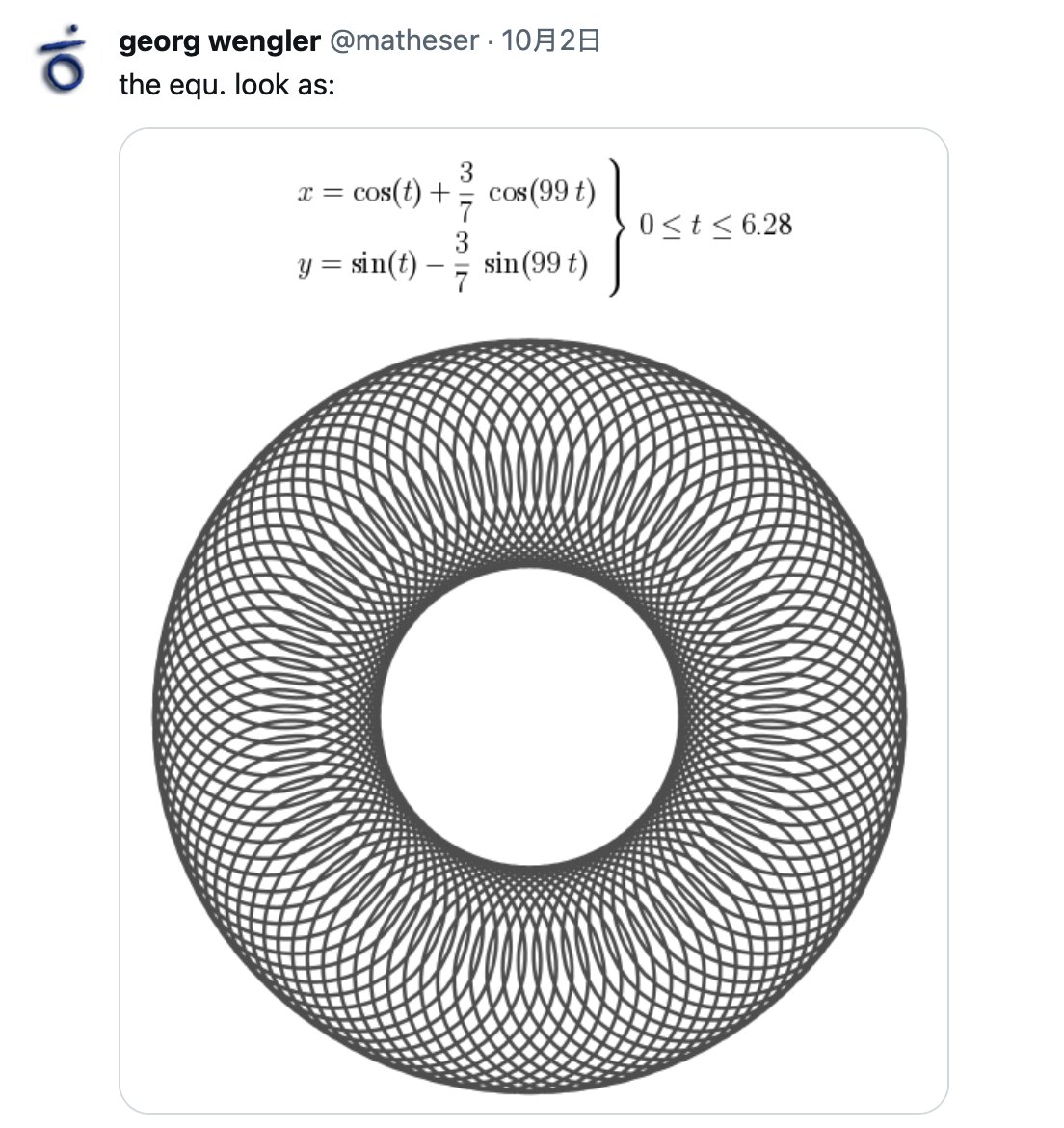
他の人も同じように違っている。
- @matheser さんのXのポスト
- 私の作ったのと同じで,@algebraFact さんのようにならない。
何が違うのか?
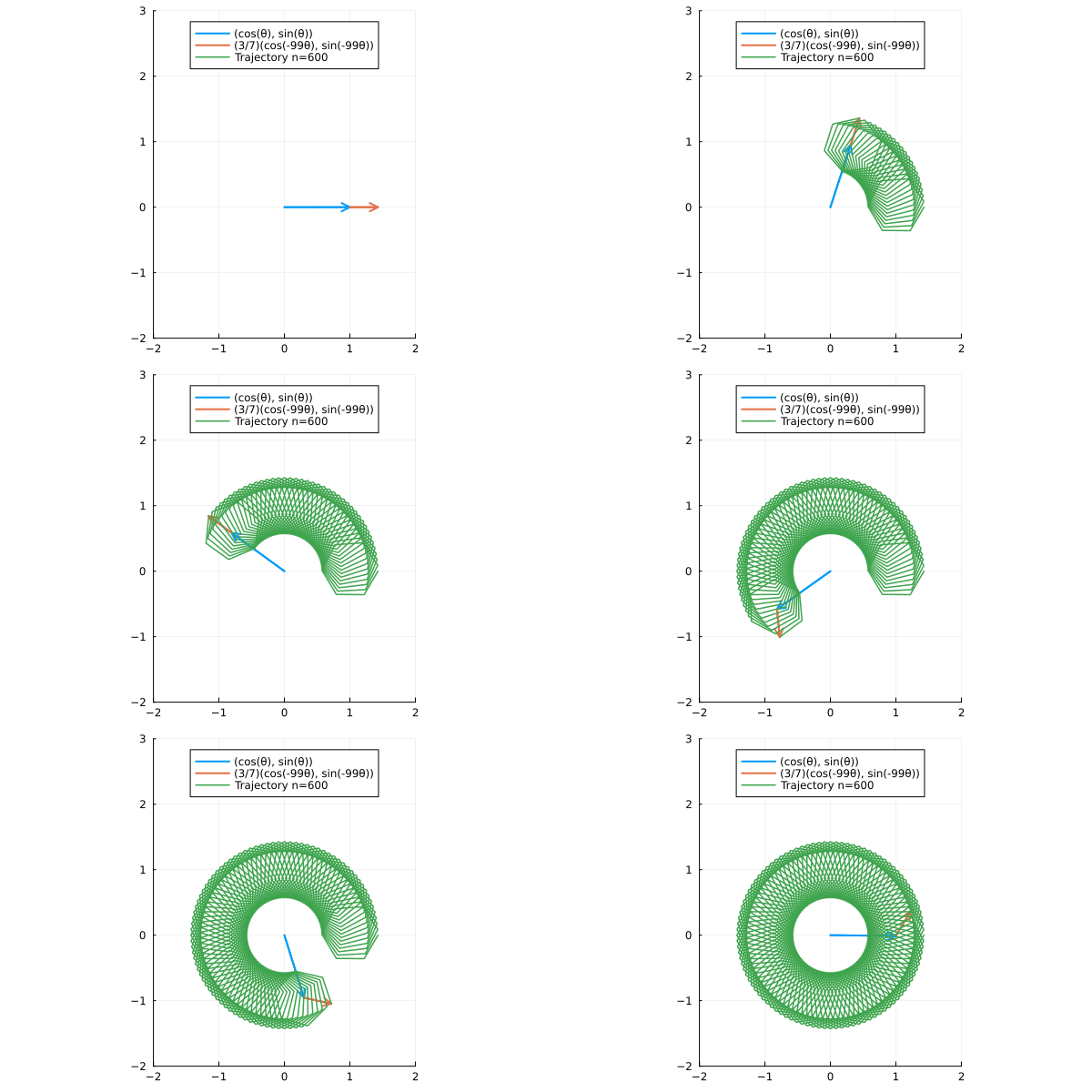
- 0~2πをどのくらい分割するかによって図形が異なることがわかりました。
Show the code
using Plots

# θの範囲を設定
θ = LinRange(0, 2π, 113)

# xとyの定義
x = cos.(θ) .+ (3 * cos.(99 .* θ)) ./ 7
y = sin.(θ) .- (3 * sin.(99 .* θ)) ./ 7

# プロット
plot(x, y, aspect_ratio=1, legend=false, xlabel="x", ylabel="y", title="Parametric Plot")
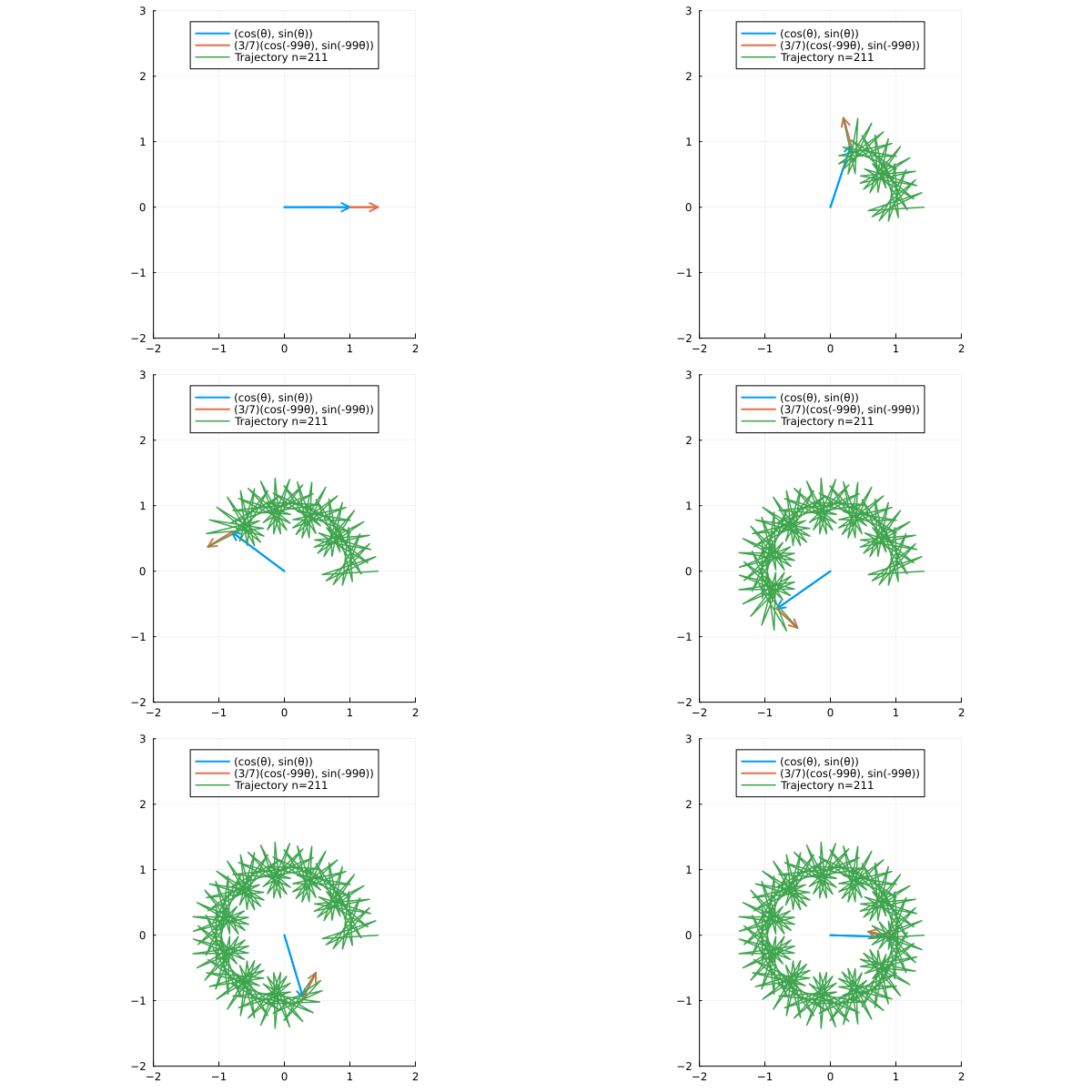
211分割だった!
- @algebraFact さんのXポストはどのくらいの分割だったかというと211分割でした。
Show the code
using Plots

# θの分割数を指定(例として211を設定)
N = 211

# θの範囲を設定
θ = LinRange(0, 2π, N)

# xとyの定義
x = cos.(θ) .+ (3 * cos.(99 .* θ)) ./ 7
y = sin.(θ) .- (3 * sin.(99 .* θ)) ./ 7

# プロット
plot(x, y, aspect_ratio=1, lw=2, color=:blue, legend=false, title="N=$N points",axis=false,grid=false)
折れ線の作図の様子
分割を3~1000で変化させてみた!
```{julia}
#| code-fold: true
#| code-summary: "Show the code"
# GIFアニメーションの作成(フレームレートを設定)
using Plots
@gif for N in 3:1000
    # θの範囲を設定
    θ = LinRange(0, 2π, N)

    # xとyの定義
    x = cos.(θ) .+ (3 * cos.(99 .* θ)) ./ 7
    y = sin.(θ) .- (3 * sin.(99 .* θ)) ./ 7

    # プロット
    plot(x, y, aspect_ratio=1, lw=2, color = :cyan, legend=false, axis=false, grid=false, background_color=:black,title="$N",)
end fps=10  # フレームレートを10 FPSに設定

```